Build a restaurant website that helps guests take the next step
Postree Blog · Web Design · September 2026
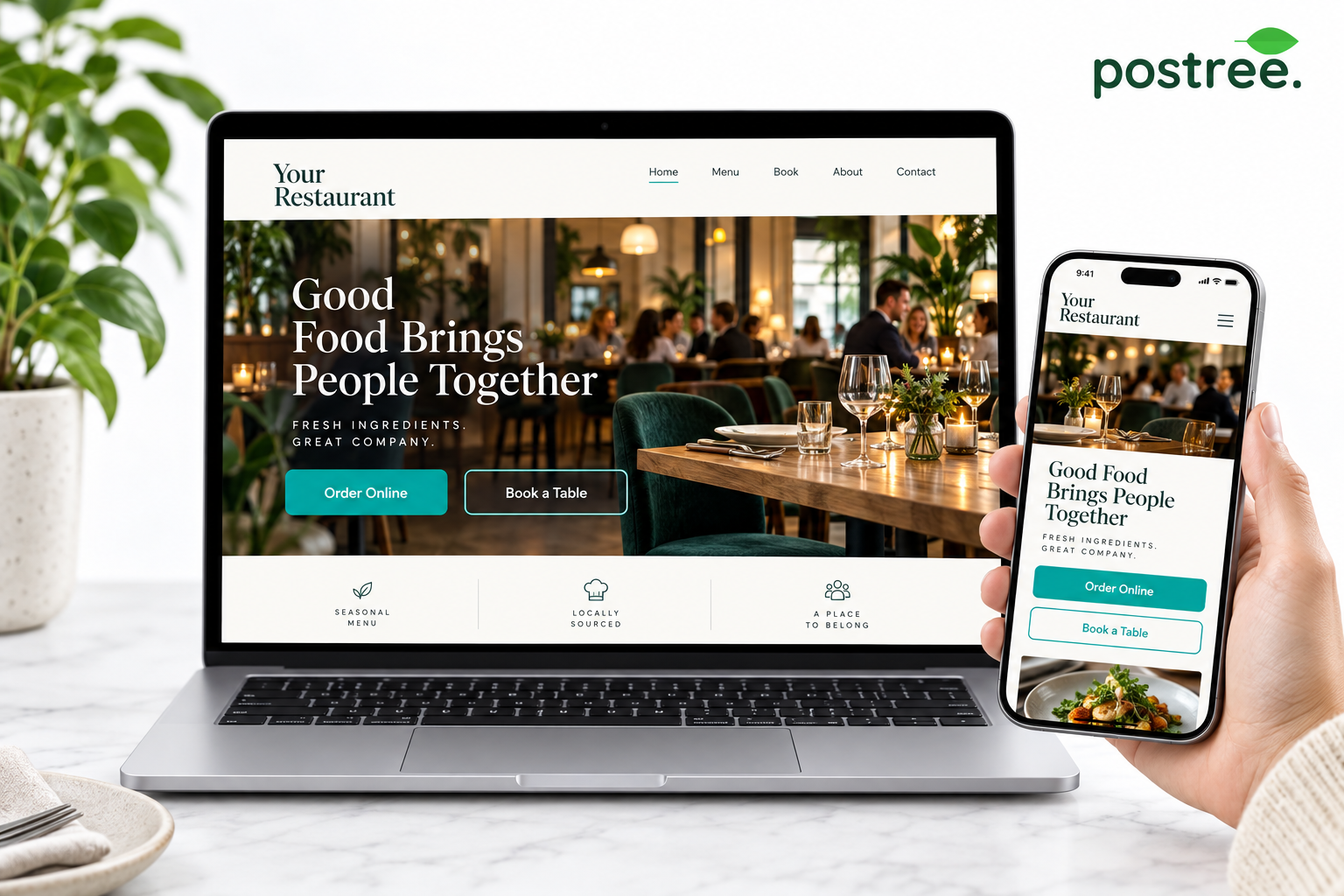
A restaurant website should help a visitor do something useful. That may be checking the menu, booking a table, ordering dinner or buying a gift. Attractive photography matters, but a guest should not need to search through several pages to find the next step.
Postree Web Design combines a branded web presence with routes into ordering and booking services. The wider Postree offering also gives venues ways to add vouchers and catering to that customer journey.
The use case: a restaurant with several reasons to visit
Consider a restaurant that offers dine-in meals, takeaway collection and occasional catering. Its old homepage shows a large photograph and a menu PDF, but the booking link is hard to find and catering enquiries arrive through a general contact form.
A clearer structure separates the visitor’s intentions. Someone looking for tonight’s dinner sees Order Online. A guest planning a visit sees Book a Table. A person organising an office lunch sees Catering. Each route leads to the relevant information and workflow.
The solution: build around guest tasks
Start with the actions that matter most to your venue. Put those choices where they are easy to find on a phone as well as a laptop. Present current opening hours, contact details and location information clearly, and keep menu content readable on smaller screens.
Postree’s website service includes responsive design, branding, booking integration and a connection to online ordering. Managed hosting and content updates can also reduce the work involved in keeping the site current.
Use photographs that represent the venue and food accurately. Keep text concise around the main action buttons, then provide enough detail for guests who want to explore menus, events or catering options before deciding.
Where the efficiency comes from
A well-organised site can reduce routine calls asking where to book, how to order or whether a service is available. When the next step connects to an ordering or reservation workflow, the team receives more structured information than a general enquiry alone.
A takeaway may prioritise collection and delivery. A café could highlight opening hours, menus and catering. A hotel restaurant may need to explain dining options clearly to guests staying at the property and visitors from outside.
Test the journey rather than the homepage alone
Ask someone unfamiliar with the business to complete three tasks on their phone: find a dish, start a booking and locate collection information. Note where they hesitate. Test the handover from the website into the ordering or booking screen, not just the appearance of the button.
After launch, review enquiries, completed bookings and orders alongside website visits. A page that attracts attention but leaves guests unsure what to do needs adjustment.
Ask Postree to demonstrate how your most important guest journeys would work across the website, POS and connected services. Review current service terms and ordering fees as part of that discussion.